
Solved!
Go to SolutionSupport Assist new 5.2 update recovery
Asked to update recover option.
Then said it failed.
Then asked for a restart. Did ok.
Then asked to update bios - which it did successfully
Now support assist won't load (suggests a restart) which I have now dome three times. Support assist still won't load.
Now seem to have two versions called Dell Support assist both dated 23/08/2026
One has no serial number the other one is Version 5.2.0.1519
Ideas?
(edited)
12
1
Posted August 28th, 2026 09:54
Hi
Please can you confirm the Make Model and OS, along with any configuration details like touch screen, backlit keyboard, SFF or tower etc etc.
Can you uninstall/remove either or both Support Assist bits of software.
Also, are there any other issues?
Kind Regards
anne_droid

15
0
Posted August 28th, 2026 16:26
sorry I have no idea how to mark this as "solved"....
9
0
Posted August 29th, 2026 06:53
Asked to update recover option.
Then said it failed.
Then asked for a restart. Did ok.
Then asked to update bios - which it did successfully
Now support assist won't load (suggests a restart) which I have now dome three times. Support assist still won't load.
Now seem to have two versions called Dell Support assist both dated 23/08/2026
One has no serial number the other one is Version 5.2.0.1519
Ideas?
https://www.dell.com/community/en/conversations/supportassist-for-pcs/support-assist-new-52-update/6a90863485c0dd2154f7b6d7Crossy Road
It sounds like the 5.2 update may have left two SupportAssist installations behind. I’d uninstall both versions, restart the PC, then download and install the latest SupportAssist directly from Dell. Hopefully that clears the conflict.
0
0
Posted August 30th, 2026 20:31
SupportAssist OS Recovery Tools Fail to Install Using SupportAssist
- Uninstall the current version of SupportAssist on your computer.
- Download and Install the latest version of SupportAssist.
- Reboot your computer.
- Open the Dell SupportAssist for Home PCs application.
- Click Update Software on the SupportAssist User Interface (UI).
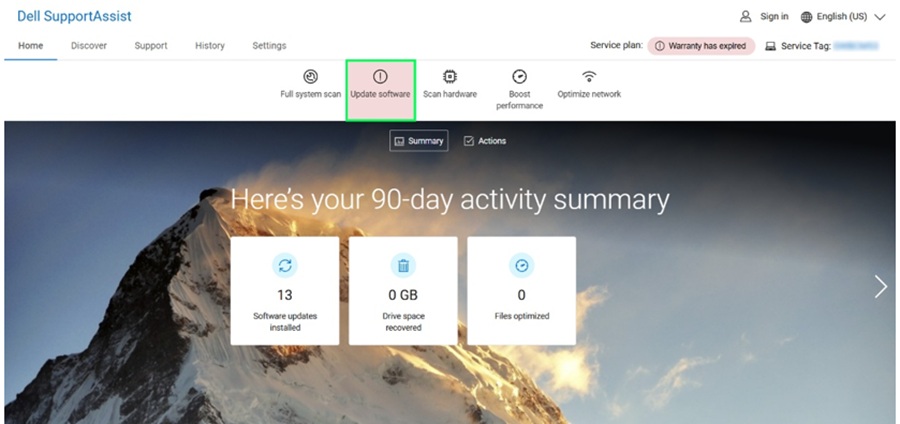
- Click Start to check for updates.
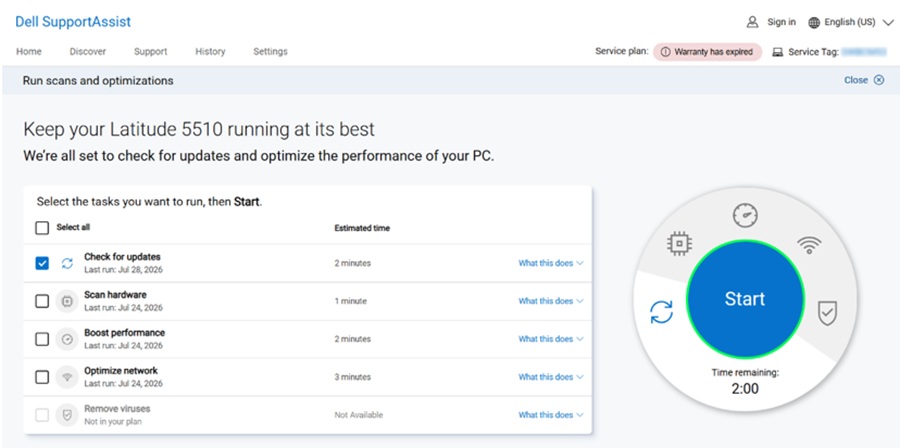
- Keep the computer on and connected to power while Dell SupportAssist checks for updates.
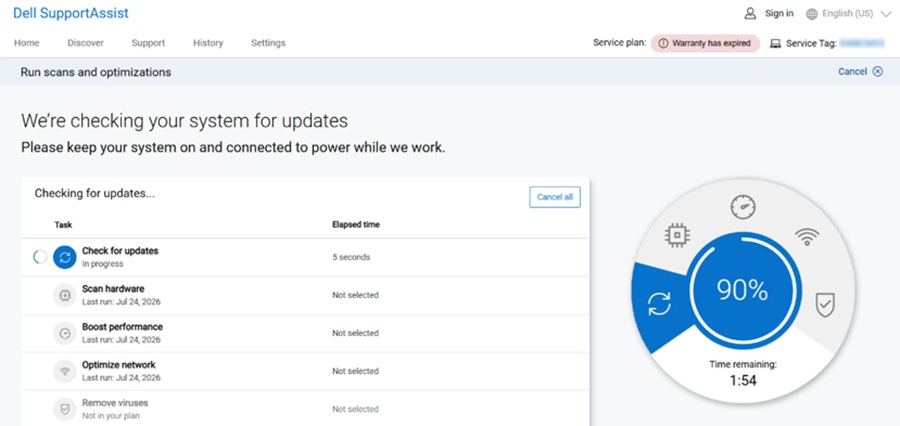
- Choose SupportAssist OS Recovery Tools from the recommended list, and then click the Install button.
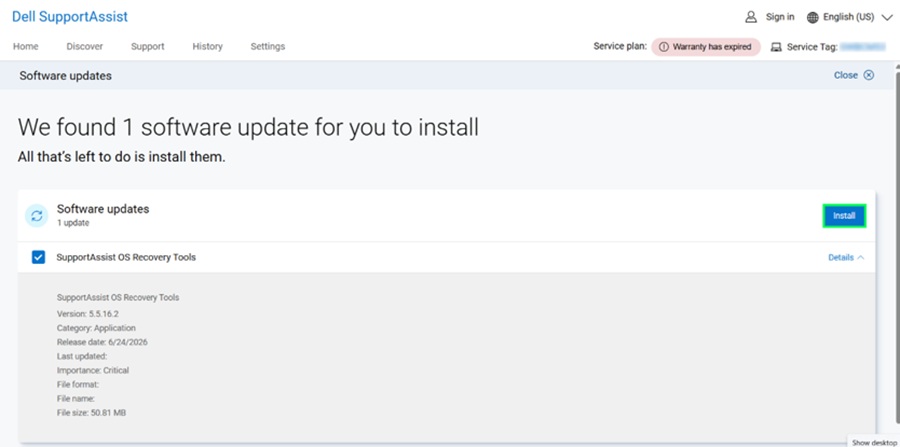
- Installation of the selected update will begin.
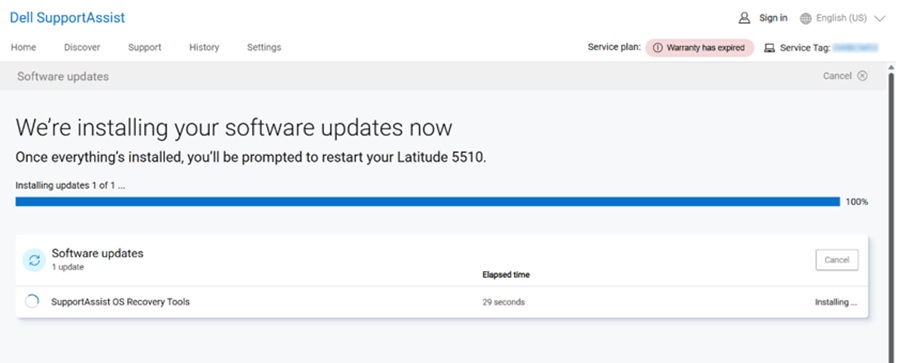
- The update is now successfully installed and click Back to Home or close the SupportAssist application.
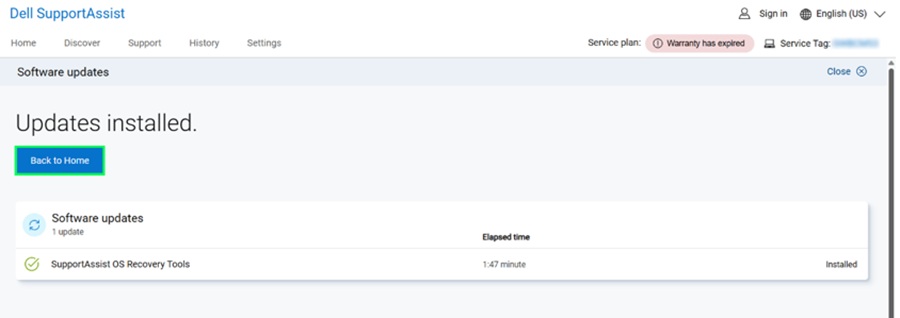
#IWork4Dell

jnp99
1 Rookie
•
6 Posts
•
17 Points
17
1
Posted August 28th, 2026 16:22
@anne_droid
Hi it's a De;; xps-8960 running windows 11pro.
And I've managed to fix it - I deleted support assist and downloaded and reinstalled it and it's now working fine.
I have no idea what the problem was but it has gone away.