
UNSOLVED
THE VIDEO CARD DISSCUSION THREAD! Its time that someone made this thread! Please post and join the discussion!
Hello everyone and my name is Hunter. I would like to now start the new Video Card owners thread, so that we in this thread can help the people in the dell community with video card problems and questions. Please I ask that everyone contribute. If you have problems with your video card than ask that question in this blog go nowhere else. This blog will be able to help everyone. Please contribute..
Thanks,
Hunter
Hello mvspaulding and welcome to the dell community and welcome to the video card discussion blog. What i would do first is when the computer starts hit F12 or whatever gets your computer into the diagnostic screen. Then somewhere there you should be able to test if all the parts of the computer are working. If the card recommends a 300 watt power supply then you are really putting a strain on your computers power supply. What you also need to do is go to www.dell.com and then click in desktops and all-in-ones. Then when that screen comes up click on desktops and scroll down to you find parts and upgrade for your dell. You type and your serivce code and it will show you the recommended upgrades for your Dell computer. The video card i am looking at is the ATI radeon 2400 pro http://accessories.us.dell.com/sna/products/Graphics_Cards/productdetail.aspx?c=us&l=en&s=dhs&cs=19&sku=A1586540&mfgpid=123627&chassisid=8209 This card does not get very good ratings though and the other cards recommeded by dell are not worth the money.
But what you need to do is too do that diagnostic run i first told you about when you get the results please tell me and if the card is working i will transfer you to my friend who works for dell and he will be able to help you alot :)
So good luck and please tell me your results.
Remeber if that does not work tell me and i will tell my friend about your situation and he will help.
Hunter
mvspaulding
7 Posts
1748
0
Posted September 26th, 2009 12:00
Yes, I just got off the phone with Dell support and we tried everything to just get the computer to boot to safe mode but it wouldn't work. So they said either upgrade my power supply or get a different card that doesn't require 300 watts power. Thanks for your response.
Mvspaulding i am very sorry that you couldnt get the computer to work. If you would like me too, would you like me to talk to my friend about your situation? He would probably be able to help you. Also how long have you had your graphics card if it has been less than 21 days dell can refund your money. :)
Hunter
I you pluged the card into a PCI slot vice the AGP slot then you will need to upgrade the power supply if you have not a already done damage to your system board. There is not enough power on the PCI bus with your current supply to power the card.
You will need half height or slim cards and I would suggest you look at AGP versions.
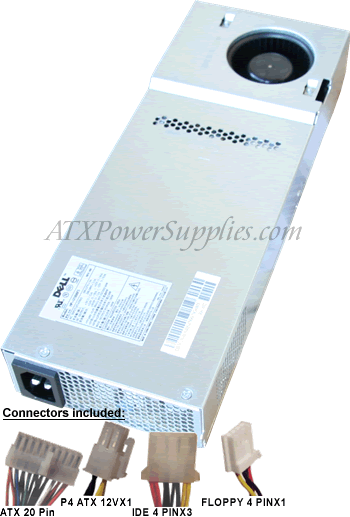
Well just look at that ATI radeon 2400 pro that i told you to look at earlier. Also your computer does not have an AGP slot, but 2 PCI slot. TO upgrade your power supply would be tricky if not impossible, because your computer is a small form factor here is a picture of your power supply http://www.supernotebook.com/images/180-Watt-Dell-Power-Supply-1N405.gif
I think that ATI radeon 2400 pro would work fine because it was bulit for your computer so check it out. If you dont like you can just return it before the 21 day period is up.
Hunter
mvspaulding
7 Posts
1748
0
Posted September 26th, 2009 15:00
Hunter, I just bought the card yesterday at Staples so I will just return it.
Dave, I didn't think there was an AGP slot on the 4500S I think there are just 2 PCI slots. I didn't do any damage to the system board though, because when I take the card out everything works as normal. How expensive is it to upgrade the power supply? And is that something I could do on my own?

mvspaulding
7 Posts
1748
0
Posted September 26th, 2009 09:00
Hi, I purchased a Geforce 8400GS video card to upgrade my Dimension 4500s. I thought I had all the tech specs covered, I had enough memory and processing speed and the right PCI slot. However, when I installed the video card and tried to boot the computer it showed the Windows XP screen like normal then went to a blank screen with nothing. I then noticed that the video card said it recommends 300w power supply. My 4500s says it has a 180w power supply. Is this why the video card won't work with this system? I have read other posts on here that say the power supply specs by Dell are listed lower than they can handle. Is it the power supply, should I buy a less powerful video card, or what? My son recently purchased a Motocross game to play on the PC and I am trying everything to get the darn thing to work. Please help if you have any ideas/solutions.