
UNSOLVED
A
Asteroider
1 Rookie
•
5 Posts
•
2 Points
0
290
August 11th, 2024 02:37
Optiplex 9020MT audio jacks don't detect input
I've had my Optiplex 9020MT (refurbished) for a few months before I was able to save up enough money to get a GPU and everything worked just fine. But after installing my RTX 3050's drivers and restarting, my audio jacks haven't been able to detect anything that enters them. (since late June)
"Solutions" I've tried:
-Installing the drivers directly from dell (multiple times)
-Installing the high definition audio device drivers that come standard in windows 10
-installing maxx audio pro and the 2019 version (it just tells me i need to update my drivers and doesn't even appear in the startup apps tab in task manager)
-both enabling/disabling Realtek HD Audio Manager and HD Audio Background Processor
-going into services and enabling whichever ones Realtek is associated with
-Reinstalling the hardware (plugging in and out the front panel cables, even though the motherboard audio jacks don't work either)
-Disabling/enabling NVIDIA's audio drivers (even if your drivers do work it's a good idea to disable them since they cause lag spikes/framerate drops)
-Having no drivers
-Turning on "enable pop up dialogue when device has been plugged in" in dell audio and restoring defaults
-Full hardware scans in Support Assist (tests come back with soaring colors)
All of the aforementioned "solutions" have left me with the same result; the audio jacks don't detect anything
I know the AUX cable and Nintendo Switch/3DS xl new isn't at fault because they all work with the same AUX cable connected to my headphones (I used to use "Line in" to get the game audio in my bluetooth headphones)
(edited)
0
0
Posted August 11th, 2024 03:27
it opens up a sound output page where you can select between speakers and which apps control more or less audio
sorry it didnt work, i dont know what the problem could be.
0
0
Posted August 12th, 2024 02:57
Right click on speaker icon in taskbar > Sound > Recording tab > Click on line in (or headset if that is your case with headset connected) > Check box for Listen to this device. It's unchecked by default. If you want, Sound shortcut can be placed on desktop.


0
0
Posted August 12th, 2024 04:18
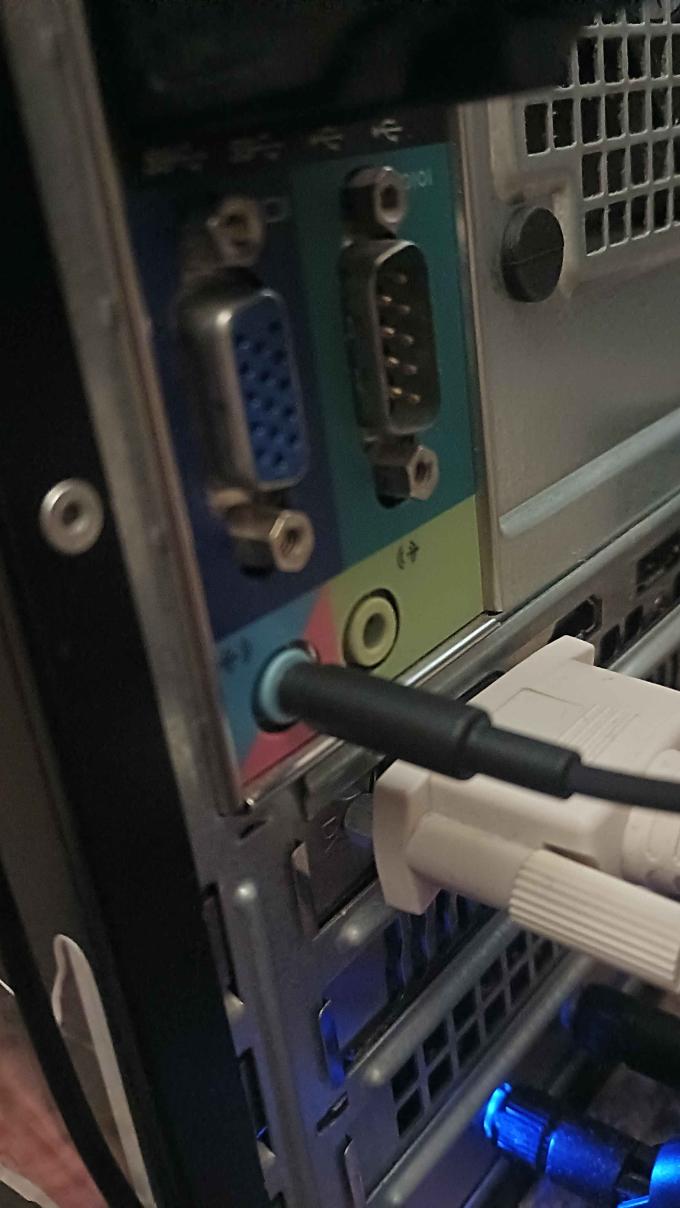
@bradthetechnut While your solution would've worked if it was the root problem, I can't go to the listen tab if input isn't detected in the first place

0
0
Posted August 13th, 2024 02:45
You could see if anything changes if you remove the GPU card, though I'm doubtful that's it.
Is there any yellow triangles with "!" in Device Manager?
May need to reload Win10 and let it download the correct drivers.
0
0
Posted August 13th, 2024 03:04
@Asteroider maybe try hdmi, because vga doesn't transmit audio, it could be trying to send an audio signal from there instead of your port
0
0
Posted August 13th, 2024 23:07
@bradthetechnut I've booted my pc without the RTX 3050 in and i still get the same result; no detection in the sound control panel menu.
There aren't any warning signs in device manager either


R_R7
1 Rookie
•
18 Posts
•
2 Points
0
0
Posted August 11th, 2024 02:53
this sounds really stupid and you probably already did this, but (provided you are on windows 11) did you do windows+control+v and select the headphone jack output?