
UNSOLVED
Dell PowerEdge R740xd Cannot Boot Proxmox from NVMe on ASUS Hyper M.2 PCIe Adapter
Hi Community,
I am trying to boot a Dell PowerEdge R740xd from NVMe SSDs installed via an ASUS Hyper M.2 PCIe adapter, and I am running into a persistent boot issue.
Server Details
Model: Dell PowerEdge R740xd
CPUs: Dual CPUs installed
BIOS Mode: UEFI
- BIOS updated to latest version
Storage Setup
Two Samsung NVMe SSDs installed on separate PCIe → M.2 adapters
(ASUS Hyper M.2 card previously used, now individual cards for OS mirror)Each NVMe is detected correctly by the Proxmox installer
Proxmox installs successfully on a ZFS RAID1 mirror
Problem
After installation, the server fails to boot and loops through:
Booting from Linux Boot Manager
Boot Failed: Linux Boot Manager
Thank you!
0
0
Posted December 9th, 2025 05:06
Hi Dell-Erman O,
Thanks for the explanation.
Can you please confirm whether the Dell DPWC300 NVMe M.2 PCIe Storage Adapter (Part numbers: 23PX6 / NTRCY / 9C5W2) supports booting an operating system on a PowerEdge R740xd?
Or is it only a data-only NVMe carrier requiring a Dell BOSS or supported NVMe backplane for boot functionality?
Dell DPWC300 NVMe M.2 PCIe Solid State Storage Adapter Card 23PX6 NTRCY 9C5W2 | eBay Australia
Thanks again.
0
1
Posted December 9th, 2025 05:48
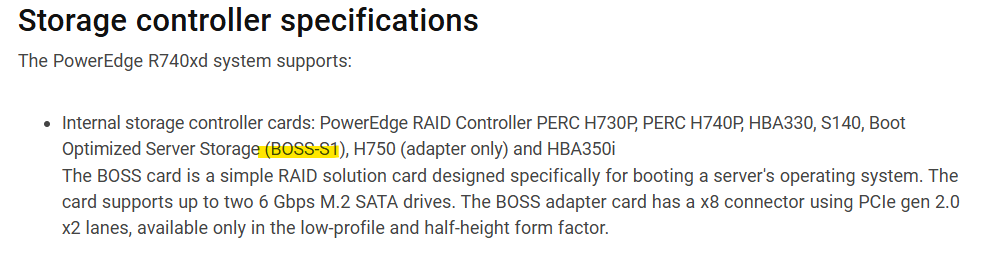
Hello the card you found doesn't work on your server model. It is for one of our Precision models. R740xd will support BOSS for boot.
Social Media and Communities Professional
Dell Technologies | Enterprise Support Services
#IWork4Dell
Did I answer your query? Please click on ‘Mark as Accepted Answer’. ‘Thumbs up’ the posts you like!

DELL-Erman O
Moderator
•
2984 Posts
•
14874 Points
0
1
Posted December 5th, 2025 13:30
Hi,
The root cause is that the Dell PowerEdge R740xd BIOS does not include native NVMe boot support for third-party PCIe adapters. While the NVMe drives are detected by the Proxmox installer (thanks to Linux NVMe drivers), the system firmware cannot recognize these devices as bootable. As a result, although the installation creates a “Linux Boot Manager” entry, the BIOS is unable to correctly map this entry to the NVMe device.
Hope that helps!
DELL-Erman O
Social Media and Communities Professional
Dell Technologies | Enterprise Support Services
#IWork4Dell
Did I answer your query? Please click on ‘Mark as Accepted Answer’. ‘Thumbs up’ the posts you like!